Features
Packing with fixed intermediate layers
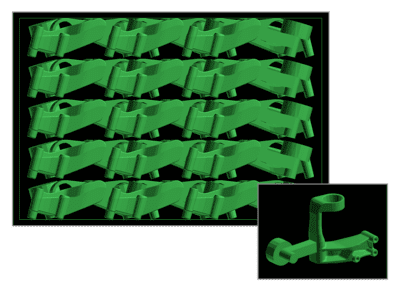
PackAssistant figures out how parts should be arranged on every layer. It offers two options: one lets pieces nest together along the removal path, and the other keeps them from interlocking. The software aims for a clean, repeatable pattern so loading and unloading stay easy. You can adjust the spacing to match specific requirements and on-the-floor constraints.
Packing with flexible or without intermediate layers
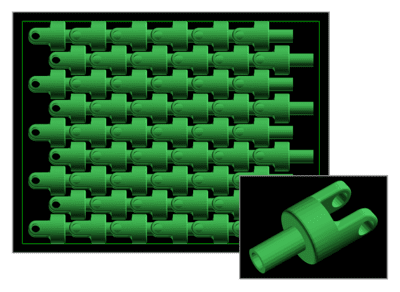
Besides defining rigid gaps between layers, PackAssistant also factors in flexible spacer layers. These are usually foam pieces, films, or nonwoven materials, and you can specify their thickness down to the millimeter. If you set the thickness to 0 mm, the software stacks the parts directly on top of each other.
Packing with compartments
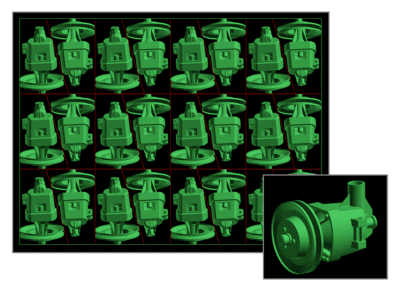
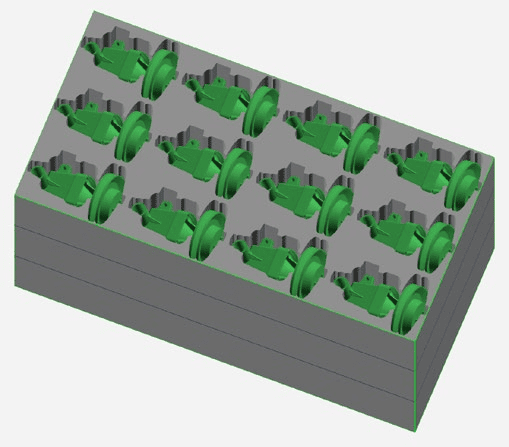
PackAssistant figures out, layer by layer, how a part should be packed into its compartments. It supports not only standard rectangular multiples but also trapezoidal and hexagonal layouts. For many parts, a trapezoidal compartment can achieve a much higher packing density than a rectangular one, while adding only minimal complexity in construction and handling.
Packing with bulk material
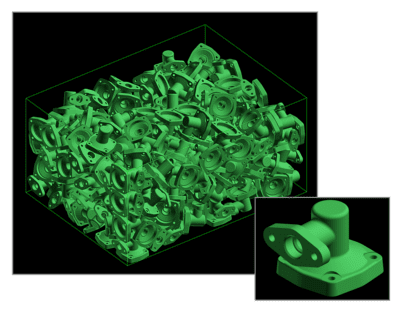
Small components typically aren’t arranged neatly in a bin—they often just tumble in straight from the line. PackAssistant figures out how many will fit by virtually ‘dropping’ the parts into the container and modeling their behavior, factoring in gravity, entry speed, and collisions between pieces.
Packing in stacks
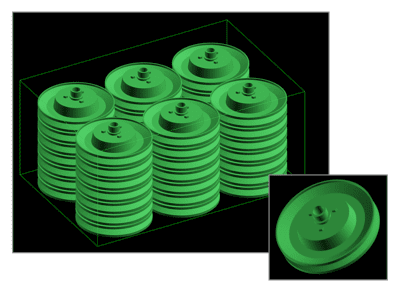
Beyond layering, PackAssistant can arrange parts in stacks—a feature that works especially well for thin-walled pieces, which can be stacked upright or at an angle.
Packing materials: trays, inserts and compartments
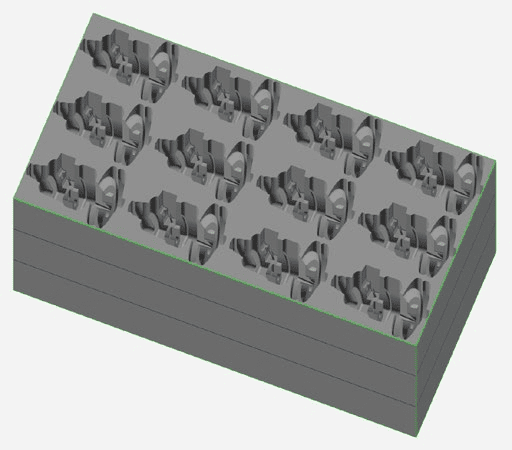
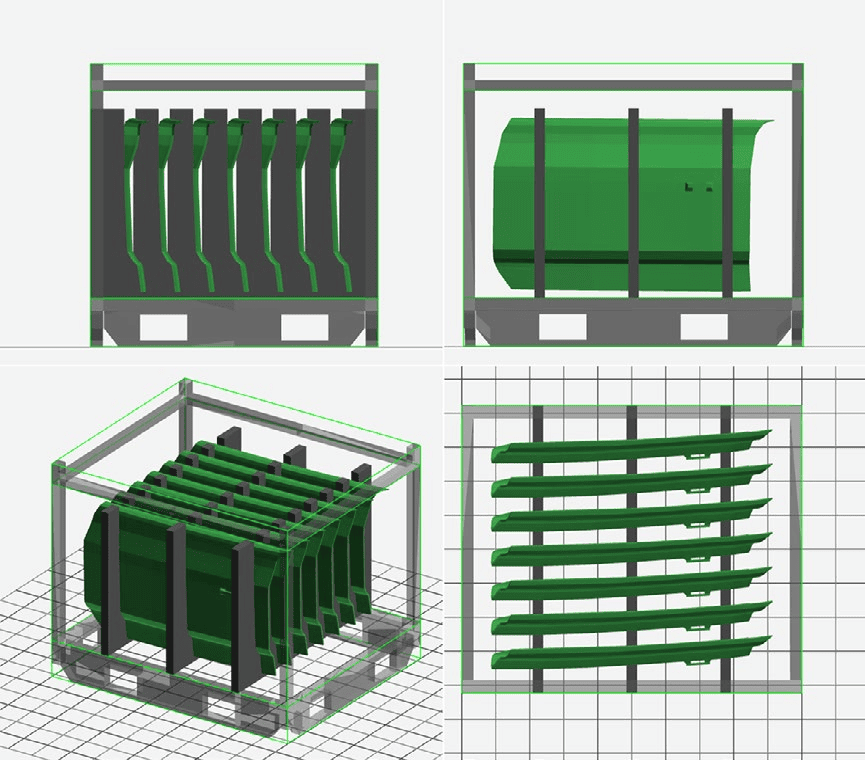
PackAssistant models the packing material itself, not just the parts inside it. Trays and inserts are supported alongside calculated models of compartments and intermediate layers, so the packing solution you review is the one you can actually build.
- Clear visualisation Parts and packing material appear together in one 3D view, with every layer, compartment and insert rendered in position.
- Export for CAD, with or without the parts Compartments, trays and inserts export as geometry you can take straight into your CAD system. The tray stands on its own — the parts don’t need to be in the model.
- Material cost in the comparison The cost of the packing material is weighed alongside packing density, so the densest layout isn’t automatically treated as the cheapest.
Pallet and truck load planning
Optimization no longer stops at the container. PackAssistant carries the result outward through the whole shipping chain, so a decision made at the part level can be judged by what it costs on the road.
Parts into containers
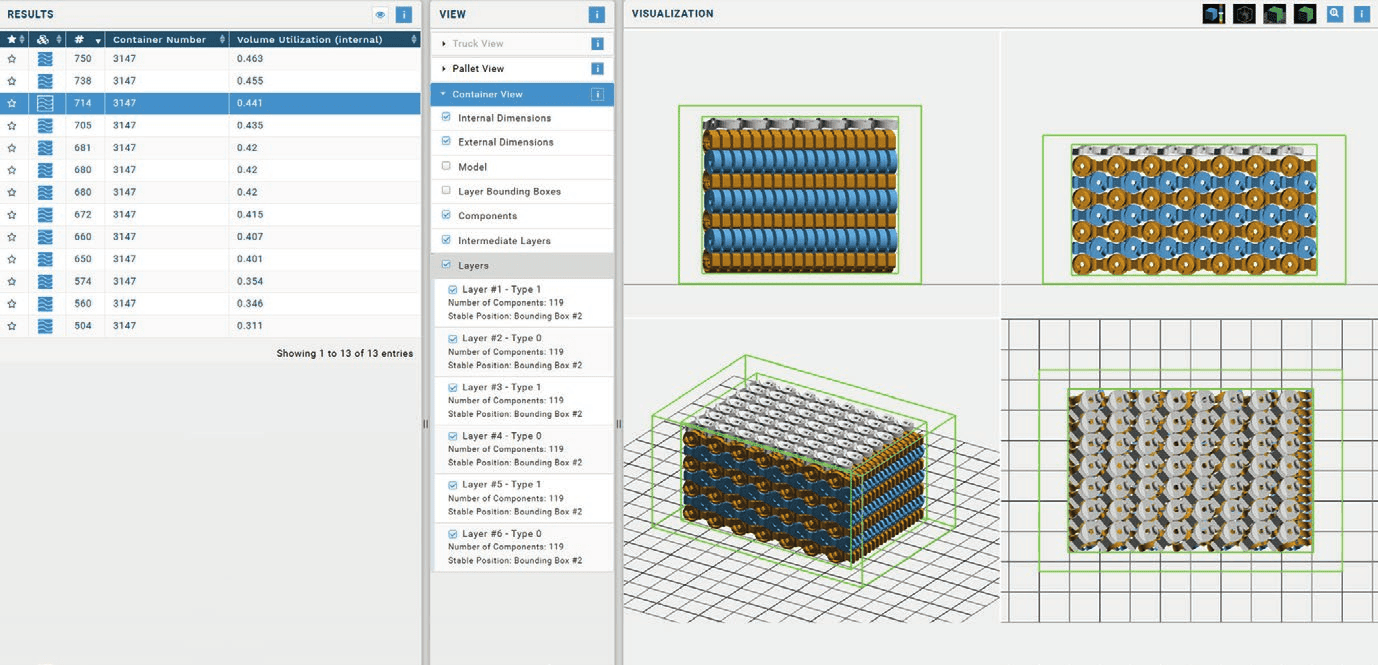
The optimized packing pattern PackAssistant has always produced, now including the tray, insert or compartment model.
Containers onto pallets
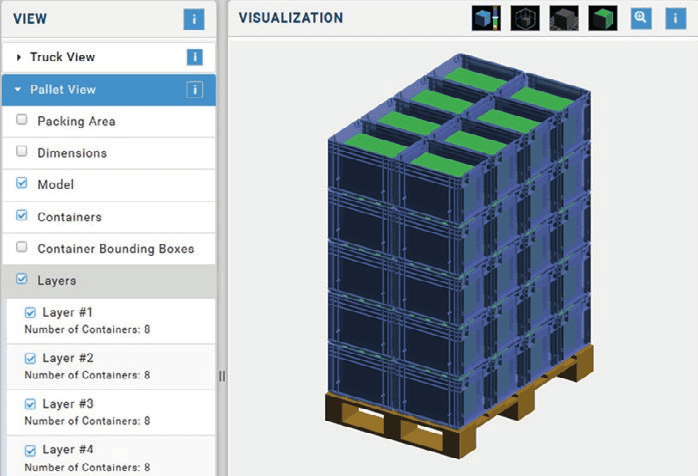
Containers are stacked into a pallet load layer by layer, with container count per layer reported alongside the result.
Loads into trucks
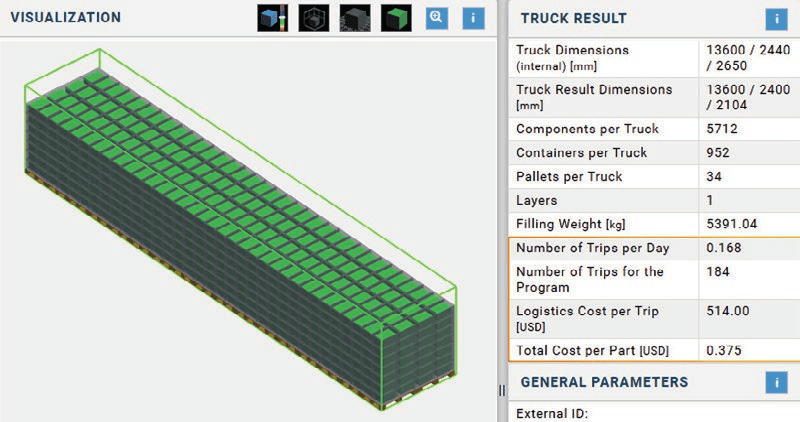
Load containers directly into a truck, or place complete loaded pallets inside it, and see the finished truck fill.
Packaging cost estimation
Every packing option is costed, not just measured. PackAssistant estimates the cost of the container itself along with the pallet and truck loads built from it, and carries the figure down to a cost per part.
That puts the trade-off where the decision gets made. A layout that fits three more parts per container is only the better option if it survives the pallet, the truck and the freight bill.
- Truck dimensions internal, mm
- 13,600 / 2,440 / 2,650
- Components per truck
- 5,712
- Containers per truck
- 952
- Pallets per truck
- 34
- Filling weight
- 5,391 kg
- Trips per day
- 0.168
- Trips for the program
- 184
- Logistics cost per trip
- $514.00
- Total cost per part
- $0.375
Sample Report
Seamless Integrations
Microsoft Office
Export packaging instructions directly to customizable Excel and Word templates for fast, professional documentation.
3D CAD Compatibility
Generate CAD outputs in JT, STEP, and VRML formats for detailed 3D visualizations in your preferred viewer—ideal for technical reviews and client presentations.
Automation & Workflow Integration
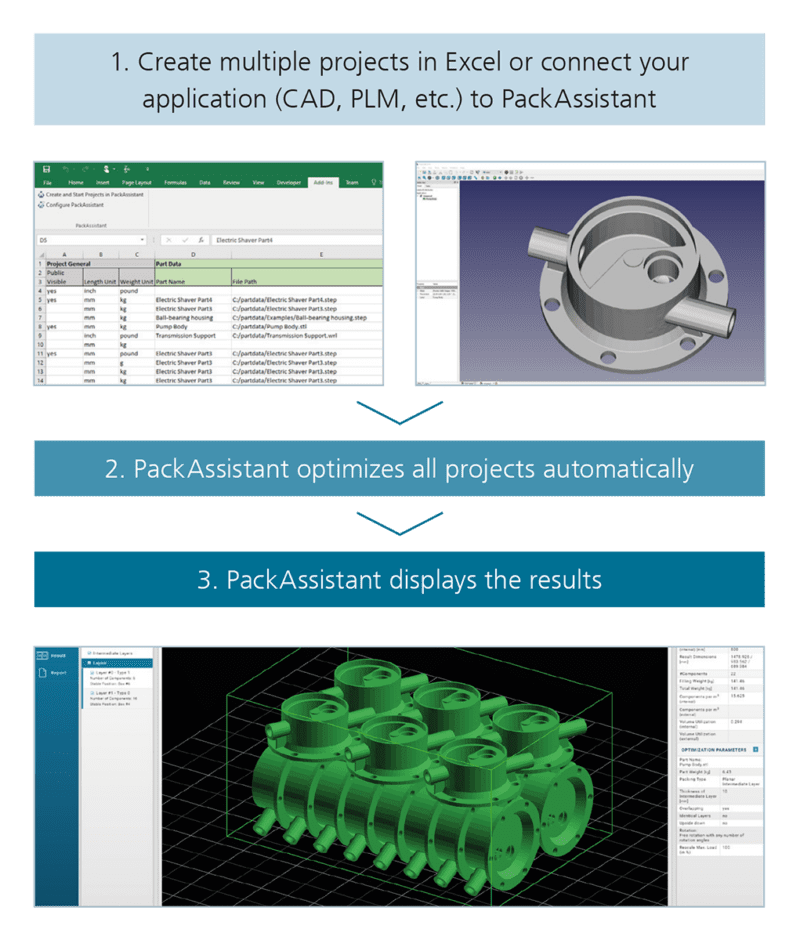
Streamline your process with our JSON-based interface, enabling full automation and integration with ERP, PLM, and other business systems.
Includes an Excel Add-In to create and optimize PackAssistant projects directly from spreadsheets.
Add-on Module for PackAssistant Automation
At A Glance
Excel Add-In:
Direct Interface Access: